visitor@laratermio:~$
laratermio
Your portfolio lives in the terminal. Visitors type commands to explore your work — no scrolling, no nav menus, no template layout.
Your portfolio lives in the terminal. Visitors type commands to explore your work — no scrolling, no nav menus, no template layout.
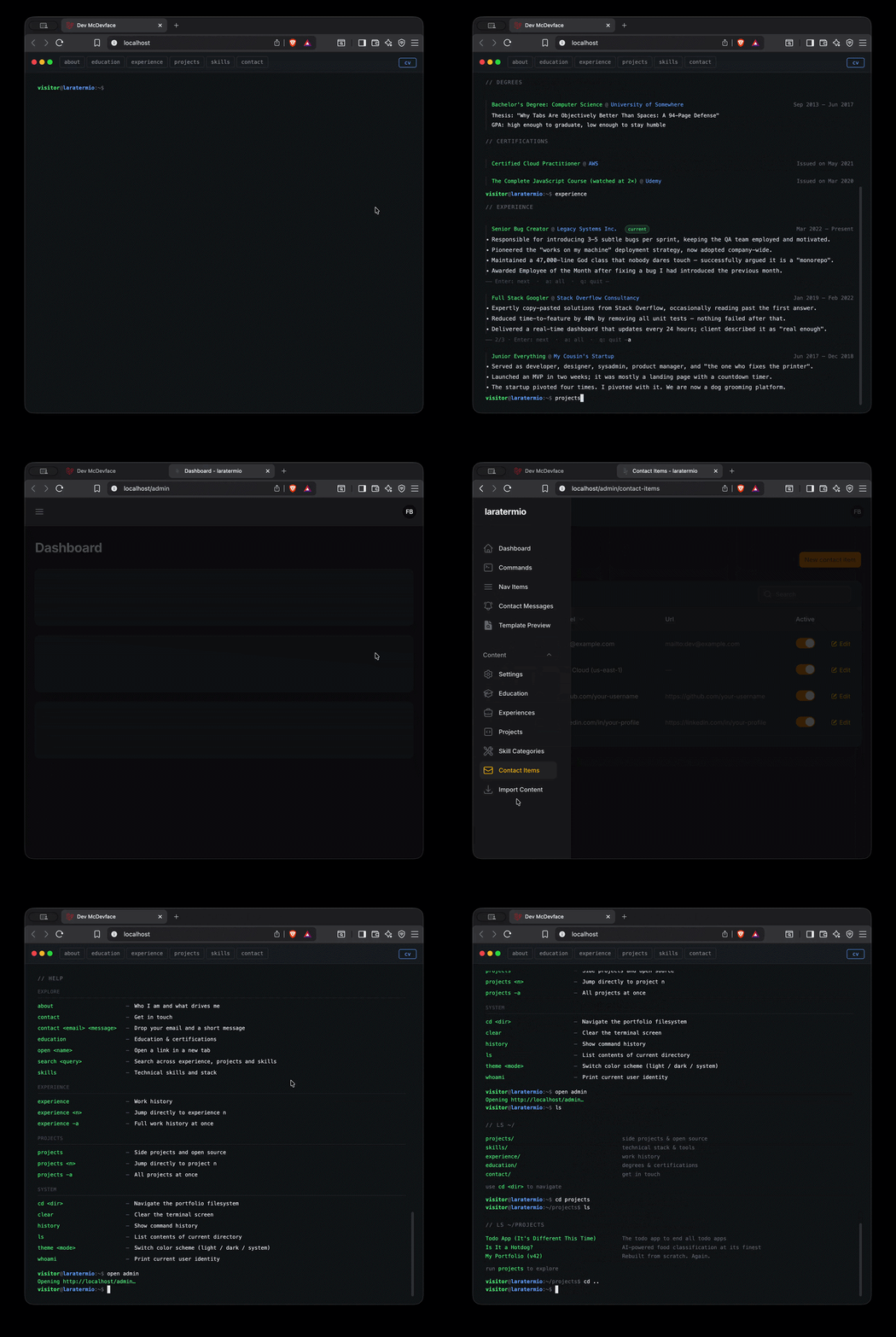
The entire portfolio runs inside a browser-based terminal emulator. A visitor arrives, sees a prompt, and starts typing. There are no hero images, no carousels, no "contact me" buttons. Just a cursor and commands — and the discipline to make that interesting.
→ Curious? There are more commands that won't appear in help — explore and find them.
Managed through a Filament 5 admin panel. All content — experience, projects, skills, terminal commands — lives in the database and is fully editable without touching code.
  ██████╗  ██████╗ ██████╗ ████████╗███████╗ ██████╗ ██╗     ██╗ ██████╗
  ██╔══██╗██╔═══██╗██╔══██╗╚══██╔══╝██╔════╝██╔═══██╗██║     ██║██╔═══██╗
  ██████╔╝██║   ██║██████╔╝   ██║   █████╗  ██║   ██║██║     ██║██║   ██║
  ██╔═══╝ ██║   ██║██╔══██╗   ██║   ██╔══╝  ██║   ██║██║     ██║██║   ██║
  ██║     ╚██████╔╝██║  ██║   ██║   ██║     ╚██████╔╝███████╗██║╚██████╔╝
  ╚═╝      ╚═════╝ ╚═╝  ╚═╝   ╚═╝   ╚═╝      ╚═════╝ ╚══════╝╚═╝ ╚═════╝
Your terminal content doubles as a CV. Hit "Generate" in the admin panel and DomPDF renders everything — experience, education, skills, projects, contact — to a clean A4 PDF. The CV link appears automatically in the terminal nav once the file exists. One source of truth for your portfolio and your resume.
One button in the admin panel. Experience, education, skills, and projects rendered to A4. The terminal picks it up automatically — no config, no code change.
Sail / Docker (recommended — no local MySQL needed)
seeding content
db:seed (and SystemSeeder) only seeds the admin user and terminal commands. Portfolio content is seeded separately. Pick one:
Both seeders truncate their tables before inserting. Settings files and project media are deleted from disk and re-attached from public/stubs/. Prefix with ./vendor/bin/sail artisan when using Sail.
Admin at localhost/admin — default password is password, forced change on first login.